What This Article Covers
- Why traditional spotters and traffic management plans fail to catch the incidents that actually kill people
- What changes operationally when AI is watching every vehicle interaction across the entire site in real time
- How to calculate the business case using your own incident frequency and cost data
- What camera hardware, edge processing, and integration actually cost — with real figures
- When AI safety vision is worth deploying, and when process fixes should come first
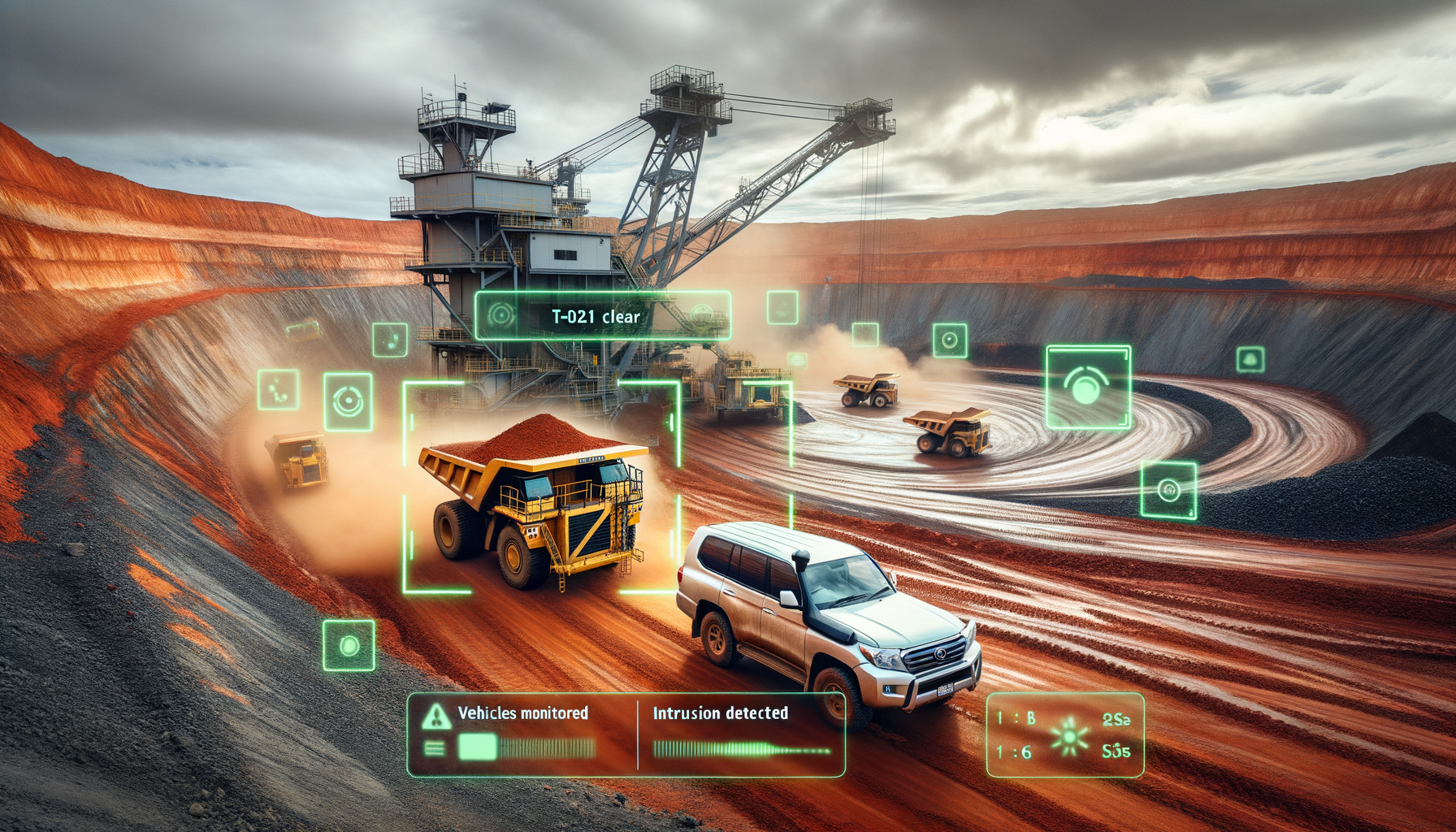
At a NSW open-cut coal operation, a light vehicle crosses into the active swing zone of a 400-tonne excavator. The spotter is managing radio traffic on the other side of the bench. The excavator operator, with 70 metres of blind spot behind the counterweight, doesn't see it. What happens next depends entirely on whether the site has AI safety vision deployed.
Without it: a collision avoidance alarm triggers at 8 metres — too late to stop the machine. A serious incident. A statutory notification to the regulator. A site shutdown while SafeWork NSW investigates. Total cost, direct and indirect: $1.2 million. Two workers' lives permanently altered.
With it: 6 seconds before the light vehicle enters the swing radius, the AI detects the encroachment. The excavator operator receives an in-cab proximity alert. The light vehicle driver receives a simultaneous dashboard warning. The excavator stops. The light vehicle reverses. No incident. Cost: zero.
Same site. Same shift. The only difference is what the system saw — and when it saw it.
1. Is This Right for Your Site?
I'll address this upfront. Computer vision safety systems deliver measurable results on certain site profiles and almost nothing on others. Knowing which you are before you brief a vendor saves months of wasted effort.
This works well if:
- Your site has active light vehicle and heavy vehicle interaction — traffic management plans exist but near-miss incidents still occur monthly
- You have camera infrastructure already installed on key intersections or vehicles, or the site is at a point where camera installation can be justified in a single project
- Your operation logs more than 6 safety incidents per quarter (all severity levels) that involve vehicle proximity or exclusion zone violations
- You run 24-hour operations with multiple shift changes — the times when spotter fatigue and handover gaps create the most risk
- You have a control room or dispatch function that can receive and act on real-time alerts, even if it needs to be expanded to do so
Walk away if:
- Your traffic management plan isn't followed consistently. AI will detect violations but can't enforce behaviour change if your site culture treats the traffic plan as optional. Fix the process compliance problem first — technology amplifies culture, it doesn't replace it.
- You don't have reliable network connectivity across the pit. Real-time computer vision requires a stable data connection between cameras and the processing unit. Patchy connectivity at the working face means gaps in coverage at exactly the point you need it most.
- Your incident data is incomplete or unclassified. The system needs a baseline to measure against. If near-misses aren't being recorded systematically, you can't demonstrate improvement — to yourself or to the regulator.
- You expect AI to replace spotters in all high-risk zones. It won't, and any vendor who suggests otherwise is overselling. AI safety vision is a supplement to trained spotters in the highest-risk areas, not a replacement. The human judgement call on ambiguous situations still belongs to a person.
2. What Changes on Monday Morning
The technology shift is only half the story. Understanding what actually changes for the people on site — the spotter, the haul truck operator, the control room coordinator — is what determines whether a deployment succeeds or becomes an expensive dashboard nobody uses.
Before: Eyes on the Ground, Gaps in Coverage
The morning shift spotter takes up position at the main intersection of Haul Road 3 and the active access ramp. Their job is to manage the flow of haul trucks and the light vehicles bringing the maintenance crew to the dragline. They have a radio, a vest, and line of sight to about 40% of the active movement in that area. The other 60% — the bend at the bottom of the ramp, the reversing bay behind the crusher, the pedestrian crossing near the lube truck bay — is managed on trust: trust that drivers followed the traffic plan, trust that the previous shift's hazard report was accurate, trust that nothing has changed since the last toolbox talk.
When an incident happens in one of those uncovered areas, the post-incident review almost always identifies the same finding: the hazard was present, nobody had eyes on it at the right moment.
After: Fleet-Wide Awareness, Continuous Coverage
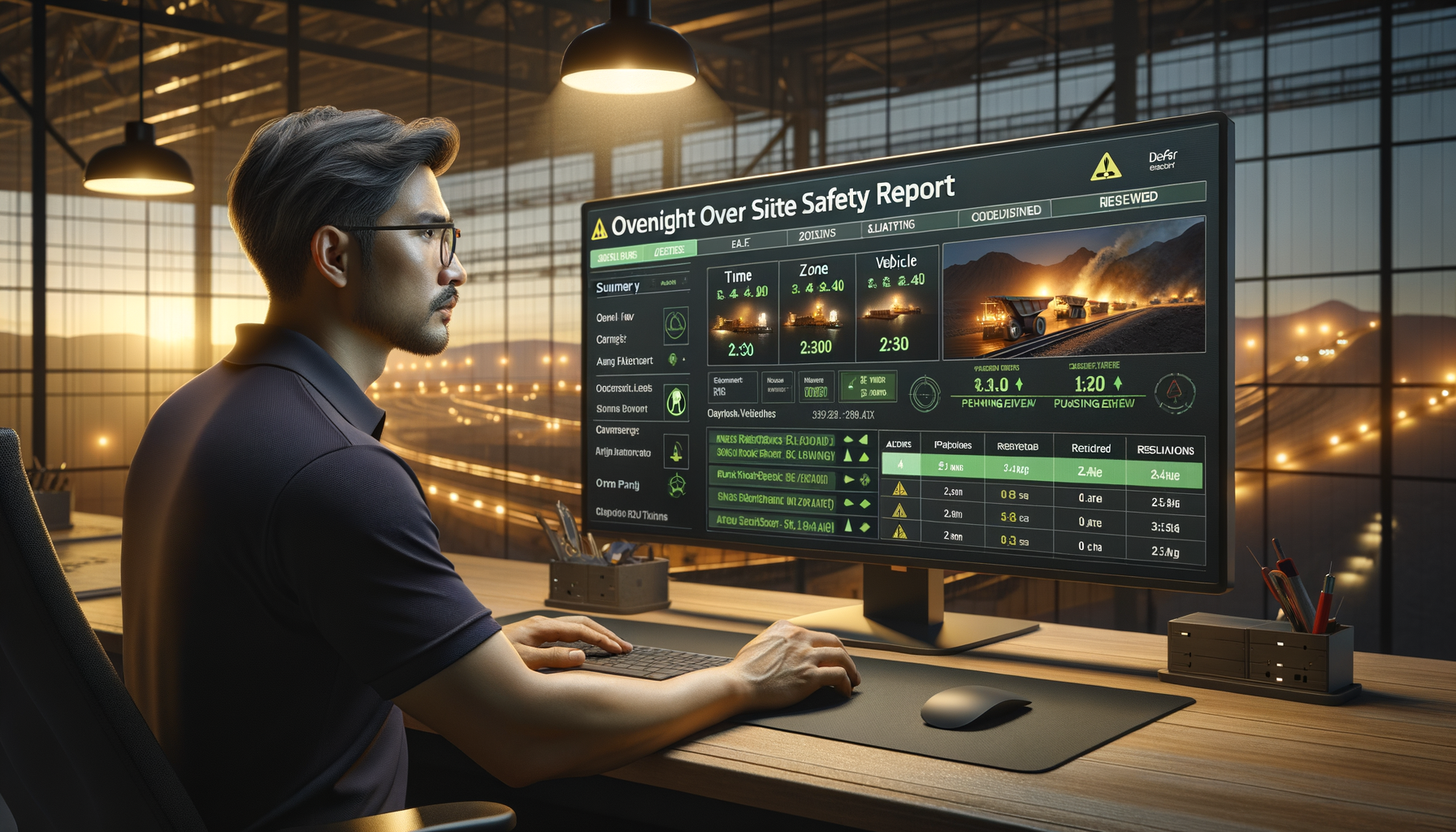
The morning shift coordinator opens the safety dashboard at 6 AM before the shift briefing. Overnight, the system logged 3 proximity events: two were within the normal operating threshold and auto-resolved, one was a light vehicle that entered the active reversing bay of the fuel truck at 3:15 AM. The system triggered an in-cab alert, the driver backed off, the event lasted 4 seconds. It's logged, time-stamped, and classified as a near-miss for the incident register — automatically, without anyone having to write it up.
The coordinator raises it at the shift briefing. Not as a blame exercise — as a pattern question. That reversing bay has generated 3 near-miss events in the past two weeks. A physical barrier review gets scheduled for Wednesday.
The shift in mindset is from managing safety incidents after they happen to identifying the patterns that precede them. That's the difference between a reactive safety program and a predictive one.
3. The Business Case — Run Your Own Numbers
A 40–50% reduction in safety incidents sounds compelling, but the business case depends entirely on your incident frequency and cost baseline. A site with 4 serious injuries per year sees a completely different financial outcome than one with 14 near-misses and no lost-time injuries.
The number that surprises most people is how much a single serious incident costs once you add up everything: direct medical and workers' compensation costs, investigation time (yours, the regulator's, and legal's), production shutdown hours, damage to equipment, insurance premium impact, and the management time consumed for months afterwards. On most Australian mining sites, a single serious injury event costs $500,000 to $1.5 million in total. A fatality is $3 million and upwards — and that figure excludes the human cost entirely.
ROI Calculator
Adjust the sliders to match your site. Results update in real time.
Assumes: 45% incident reduction, $40,000/year cloud and model running costs, $320,000 base project cost plus $8,500 per vehicle for camera hardware and installation. Excludes insurance premium reductions and regulator goodwill benefits.
Safety Incidents Per Quarter — Hunter Valley Site B
2024: reactive safety baseline. 2025: AI safety vision deployed in Q1, gaining accuracy and coverage across the fleet. By Q3 the reduction is fully established.
One important caveat before you take any of these numbers to a board: the payback calculation above captures only the direct cost saving from avoided incidents. It excludes the value of avoided regulatory shutdowns (which can idle a site for days), the insurance premium reductions that follow a demonstrated improvement in your incident rate, and the effect on worker retention in a tight FIFO labour market. Sites that have documented a safety performance improvement have used it as a recruitment differentiator. That doesn't appear in a spreadsheet, but it's real.
4. How the System Works
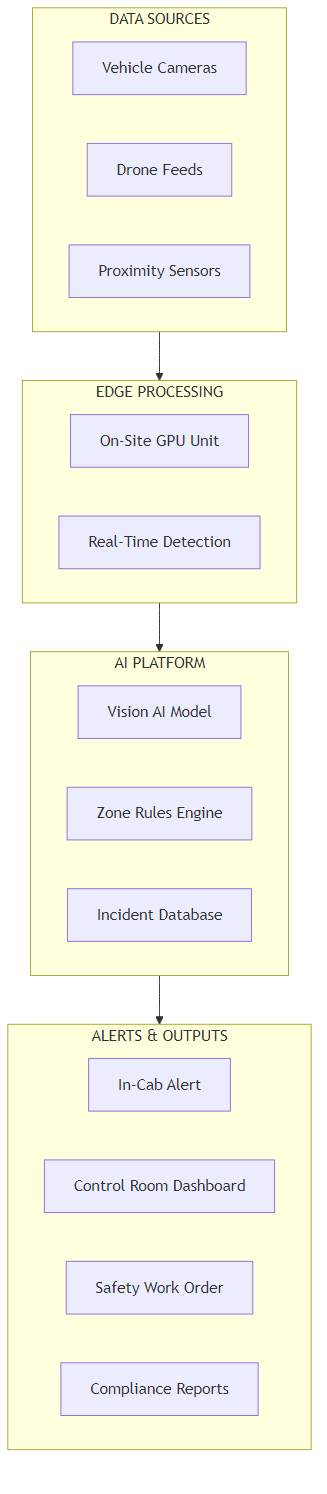
The diagram below shows the full data flow from camera to alert. What follows translates each stage into plain terms.
Six Stages, Plain English
Stage 1 — Cameras and sensors on equipment and infrastructure. The system uses a combination of fixed cameras (mounted at key intersections, reversing bays, and access ramps) and vehicle-mounted cameras (forward and reverse-facing on haul trucks and excavators). Most modern heavy equipment already carries backup cameras — these can often be integrated directly rather than replaced. Additional proximity radar on the largest equipment fills the blind spots that cameras can't cover at close range.
Stage 2 — On-site edge processing unit. Processing happens on-site, not in the cloud. An industrial-grade computing unit (typically housed in the control room or electrical workshop) runs the object detection model locally. This means alerts fire in under 3 seconds from detection to in-cab notification, regardless of your internet connection quality. Cloud connectivity is only needed for logging, reporting, and model updates — not for the safety-critical detection path.
Stage 3 — Object detection and classification. The AI model identifies and classifies every object in each camera frame: haul trucks, light vehicles, excavators, pedestrians, and structures. It tracks the movement of each object across frames, calculating speed, direction, and trajectory. This is not a simple motion sensor — it distinguishes between a stationary truck and a moving light vehicle on the same feed, and it understands the difference between a vehicle reversing correctly in a marked bay and the same vehicle reversing into a live traffic zone.
Stage 4 — Zone rules engine. A separate rules layer maps your site's exclusion zones, speed limits, and traffic management requirements onto the detection output. When a detected vehicle violates a zone — entering an exclusion area, exceeding a speed threshold, reversing without a spotter confirmed present — the rules engine triggers an alert. Your safety team configures these rules. The AI does the watching; your rules determine what counts as a violation.
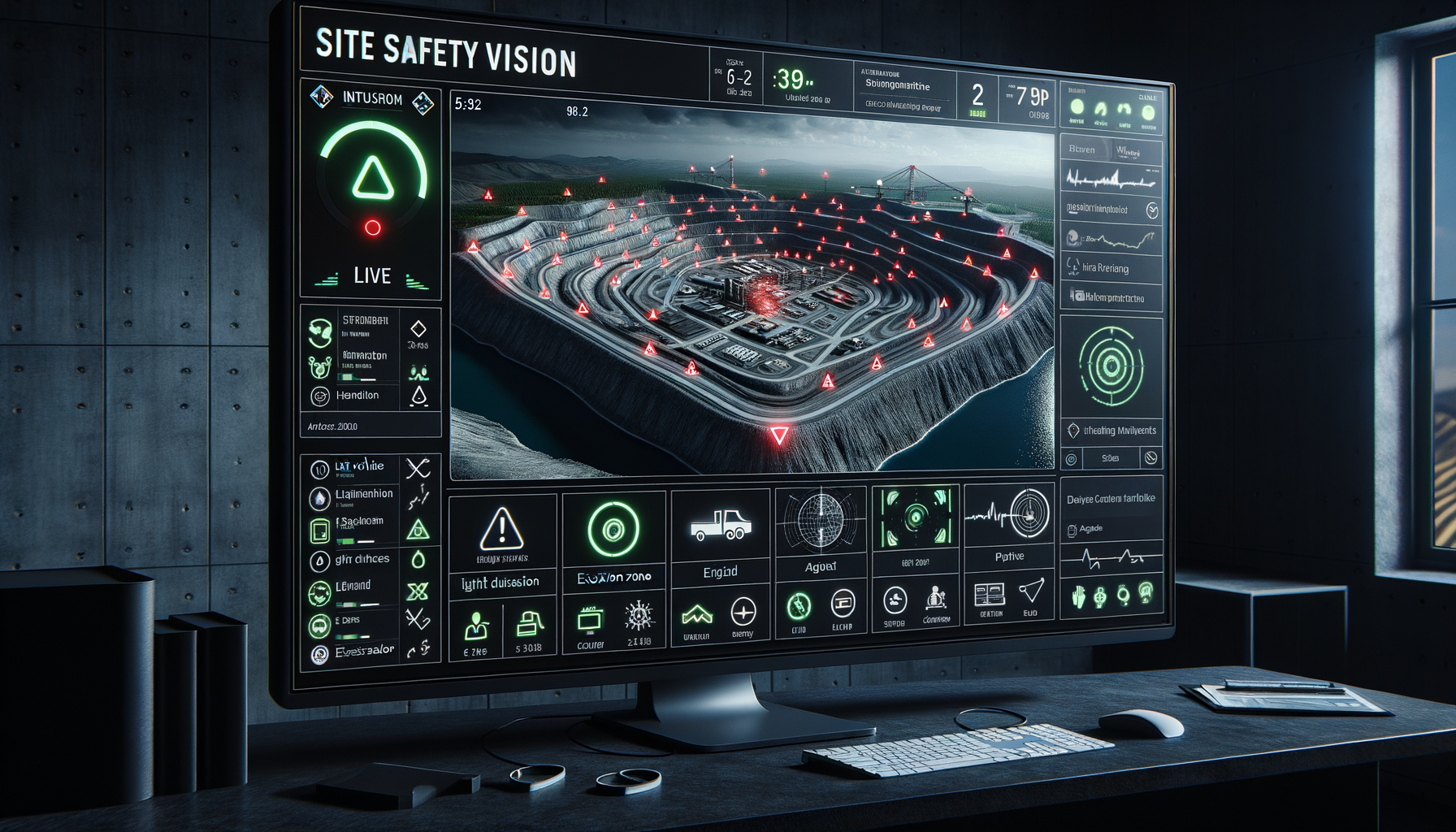
Stage 5 — In-cab and control room alerts. Alerts reach the relevant operator and the control room simultaneously. The in-cab alert is visual and audible — a priority-coded notification on the vehicle's display showing what zone was violated and the distance to the hazard. The control room receives the same alert on the safety dashboard with the camera feed from the incident zone. Both notifications arrive within 3 seconds of detection. No radio call required, no spotter relay.
Stage 6 — Automatic incident logging and compliance reporting. Every alert, every zone violation, and every operator response is time-stamped and stored automatically. Monthly compliance reports generate without manual data entry. Your safety officer can pull the incident register for any period, filter by zone or vehicle type, and export directly to the format your regulator requires. The administrative burden of safety reporting drops significantly — the data is always there because the system captured it in real time.
5. How the AI Learns to See What Matters
The most common question I get from safety managers is: if my camera system already records everything, why can't I spot the hazards from the footage?
The answer is attention. A camera records everything equally — the safe movement and the dangerous one look the same in the data stream. A human reviewer watching a live feed can only focus on one area at a time, and after a few hours of uneventful footage, the brain starts filtering out movement as background noise. The 8-second window before an incident looks like every other 8-second window on that feed.
The AI doesn't have that attention problem. It processes every frame from every camera simultaneously, and it's been trained on thousands of labelled examples of what a dangerous vehicle interaction looks like across different equipment types, lighting conditions, and site configurations. It doesn't get fatigued at hour six of a night shift. It doesn't look at the radio when two haul trucks pass each other on the left.
Why Simple Motion Detection Doesn't Solve This
Basic motion detection alarms — the kind already built into many CCTV systems — fire whenever anything moves in a zone. On a busy mine site, that means constant alerts every time a truck passes a camera, every time dust moves across the field of view, every time the lighting changes at sunrise. Sites that have tried motion detection for safety monitoring almost uniformly end up with the same outcome as static threshold alarms on maintenance sensors: alert fatigue. Everyone starts ignoring them.
The AI solves this by understanding context. It knows that a haul truck moving through a designated haul road at normal speed is expected. It knows that the same haul truck moving at the same speed into a pedestrian zone is not. That distinction requires understanding what the objects are and where the boundaries are — not just that something moved.
False Alarms and How They're Managed
Every site that deploys AI safety vision will experience false alarms in the first 8–12 weeks. The model needs to learn the specific movement patterns of your site: where trucks legitimately travel close to boundaries, which zones have authorised exceptions during certain shift activities, and what dust, sun angles, and night-time lighting look like on your cameras.
In practice, the right setting for most sites reaches below 12% false alarms — meaning fewer than 1 in 8 alerts is a non-event — within 3 months of deployment. Managing false alarms in that early window is the most important operational task. A safety coordinator who spends 10 minutes each morning reviewing overnight alerts and marking false alarms generates the feedback that makes the model accurate faster. Ignoring them means the model never learns.
6. What It Costs to Build and Run
I'll separate running costs from project costs because they come from different budgets and need to be approved through different processes.
Ongoing Running Costs (Annual)
| Component | What It Does | Approx. Annual Cost (AUD) |
|---|---|---|
| Cloud storage and logging | Stores all incident data, alert logs, and compliance reports | $8,000–$14,000 |
| AI model hosting and updates | Keeps detection model current as site layout and equipment change | $12,000–$22,000 |
| Dashboard and reporting platform | Safety coordinator and management reporting interface | $6,000–$10,000 |
| Model retraining (quarterly) | Retrains on new false-alarm feedback to maintain accuracy | $8,000–$16,000 |
| Total annual running cost | For a 20-vehicle site | ~$34,000–$62,000/year |
One-Time Project Costs
| Component | Cost Range (AUD) | Notes |
|---|---|---|
| Camera hardware per vehicle | $4,500–$9,000 | Lower if existing cameras are compatible; higher for full 360-degree coverage on largest equipment |
| Fixed infrastructure cameras | $2,500–$5,000 each | Intersections, reversing bays, pedestrian crossings — typically 8–15 locations per site |
| On-site edge processing unit | $35,000–$65,000 | Industrial GPU server; higher-end for larger fleets with more simultaneous camera feeds |
| AI model build and site configuration | $55,000–$90,000 | Includes zone mapping, rules configuration, and model training on site-specific conditions |
| Integration with existing systems | $20,000–$45,000 | Fleet management system, incident register, control room display integration |
| Installation, cabling, and commissioning | $30,000–$60,000 | Varies significantly with site layout and existing cable infrastructure |
| Total project (20-vehicle site) | $320,000–$560,000 | Wider range reflects camera reuse from existing systems and site complexity |
The Number That Surprises Most People
The AI model itself is not the expensive part. The cost concentration is in the edge computing hardware and the physical camera installation across a large, active mine site. Be sceptical of any vendor quoting a total project cost under $250,000 for a 20-vehicle site — that figure almost certainly excludes the edge unit, the fixed camera infrastructure, or the site-specific model configuration work. Ask for the line-item breakdown.
Where Your Site Safety Incident Spend Currently Goes
The red slice — direct injury costs and production stoppages — is the primary target. AI vision shifts spend from reactive incident response to proactive prevention.
7. What Your Team Needs to Make This Work
Here's what I've seen derail otherwise sound projects. The technology deployment is straightforward; the organisational readiness is not.
The Internal Team You Need
- One OT or systems engineer who understands your site's camera and network infrastructure. This person manages the connection between your existing camera cabling, the edge processing unit, and the cloud. On most mine sites this is an existing role — they just need to be allocated to the project for the installation and commissioning period (typically 4–6 weeks).
- A safety coordinator or officer who owns the alert workflow. The most critical internal role. This person reviews overnight alerts each morning, classifies false alarms, escalates genuine patterns, and feeds the information back into toolbox talks and hazard reviews. Without this role being clearly assigned, alert data accumulates and nobody acts on it.
- Control room operators briefed on the new dashboard. The shift from "radio call from spotter" to "system alert on dashboard" is a workflow change for control room staff. It needs a clear protocol: what do they do when an alert fires, how do they confirm the operator responded, and when do they escalate to the shift supervisor. This is a half-day training exercise, not a technical project — but it's the step most deployments skip.
Build vs. Buy
The AI model, edge processing architecture, and zone configuration are specialist work. Most mine sites don't have computer vision capability in-house and shouldn't try to develop it. The failure mode of attempting to build in-house is almost always the same: a pilot that works on one camera feed, extended for 18 months trying to make it work on 20, and eventually abandoned when the internal champion moves on.
What you keep internal: the domain knowledge. Your safety team knows which zones generate the most near-miss events, which equipment interactions are most dangerous, and what a genuine alert looks like versus a false one on your site. That knowledge shapes a useful AI model. The vendor builds the technology; your people make it accurate to your operation.
Realistic Timeline
| Phase | Timeline | What Happens |
|---|---|---|
| Site survey and zone mapping | Weeks 1–3 | Vendor maps all exclusion zones, traffic management routes, and camera placement requirements against your existing traffic management plan |
| Hardware installation and network | Weeks 3–8 | Camera hardware installed on pilot area (typically highest-risk intersection or vehicle type), edge unit commissioned, data flowing |
| Model configuration and training | Weeks 6–14 | AI model trained on site-specific conditions, zone rules configured, false alarm baseline established |
| Alert workflow deployment | Weeks 10–16 | Control room integration, in-cab alert hardware installed on fleet, operator training completed |
| Fleet-wide rollout | Months 4–6 | Remaining vehicles and fixed camera locations commissioned, full site coverage active |
| Steady-state accuracy | Month 6–9 | False alarm rate below 12%, detection reliability confirmed across all shift conditions including night, dust, and seasonal variation |
8. How You Know the System Is Working
These are the metrics that belong in your monthly operations and safety review — not an IT report. They tell you whether the system is delivering safety outcomes, not just technical uptime.
| Metric | What to Track | Target (12 months in) |
|---|---|---|
| Zone violations per month | All detected exclusion zone breaches, classified by severity | 40–50% reduction vs pre-deployment baseline |
| False alarm rate | % of AI-generated alerts found to be non-events on review | Below 12% of all alerts |
| Alert response time | Average time between alert fire and operator acknowledgement | Under 15 seconds for in-cab alerts |
| Near-miss recording rate | Proportion of detected incidents that were also manually reported | Over 85% — indicates system and team are aligned |
| Serious incident frequency rate | Serious injuries and lost-time injuries per million hours worked | Trending down; target 40% reduction by month 12 |
The false alarm rate is the leading indicator for everything else. If it stays above 20% past the 3-month mark, operators will start dismissing alerts before checking — the same phenomenon that makes site-wide PA announcements invisible to experienced workers. Catching this early and working with the vendor on model refinement is straightforward. Letting it persist means you've built an expensive alert system that nobody trusts.
9. Where to Start
If the ROI calculator confirmed a strong case and your site fits the profile in Section 1, here is the sequence that gets you to a working system fastest with the least wasted spend:
- Start with your single highest-risk interaction zone, not the whole site. Pick the intersection or reversal point that has generated the most near-miss events in the past 12 months. A working system on one zone in 8 weeks is a more persuasive investment argument than a site-wide proposal that takes 18 months to prove.
- Audit your incident register before you brief any vendor. Pull 12–18 months of near-miss, lost-time injury, and serious injury records. If they're incomplete, fix that first — the AI model is only as useful as the baseline it's measured against, and the regulator will want to see the improvement trend.
- Assess your camera estate before budgeting for new hardware. Many sites have cameras already installed for general security purposes that are compatible with AI overlay systems. Reusing existing hardware can reduce the project cost by $40,000–$80,000. Map what you have before assuming you need to buy new.
- Assign the safety coordinator role before the technology arrives. The person who will review morning alerts, classify false alarms, and feed findings back into toolbox talks needs to be identified and have dedicated time allocated before deployment begins — not after. This is the most common gap I see in otherwise well-funded projects.
- Set a false alarm SLA in your vendor contract. Require the system to reach below 12% false alarms within 90 days of full deployment, with a defined remediation process if that target is missed. This is the contractual lever that keeps the vendor focused on model accuracy, not just installation completion.
Key Takeaways
The Decisions This Article Is Designed to Help You Make
- Is the opportunity real for your site? Use Section 1's checklist and the ROI calculator. If your incident cost baseline is above $1.5M per year and your site has active light vehicle and heavy vehicle interaction, the case is almost always there.
- What are you actually buying? Continuous, 24-hour monitoring of every vehicle interaction on site, automatic alert generation in under 3 seconds, and an automatic incident register — without adding headcount.
- What does it cost? $320,000–$560,000 one-time project cost for a 20-vehicle site, $34,000–$62,000 per year to run. Camera hardware and edge processing are where the cost sits, not the AI model itself.
- How long does it take? First alerts active in 8 weeks on the pilot zone. Full site, reliable accuracy: 6–9 months.
- What can go wrong? Alert fatigue if false alarms aren't managed in the first 3 months. An AI that can't distinguish your site's normal patterns from genuine hazards because it wasn't trained on your specific conditions. And a control room workflow that never actually changed to incorporate the new alert stream. All three are avoidable with the right vendor and clear internal ownership.
Want Practical Insights on AI in Operations?
I write about applying AI to real business problems — with honest numbers and no vendor speak. Subscribe for articles delivered twice a month.
Subscribe to Newsletter →