What This Article Covers
- When AI compliance automation is and isn't worth the investment for your operation
- What a contracts administrator's week actually looks like before and after deployment
- A realistic business case — with a calculator you can adjust to your own portfolio
- How the system works in plain language, without vendor pitch or jargon
- What it costs, what your team needs, and how to know it's working
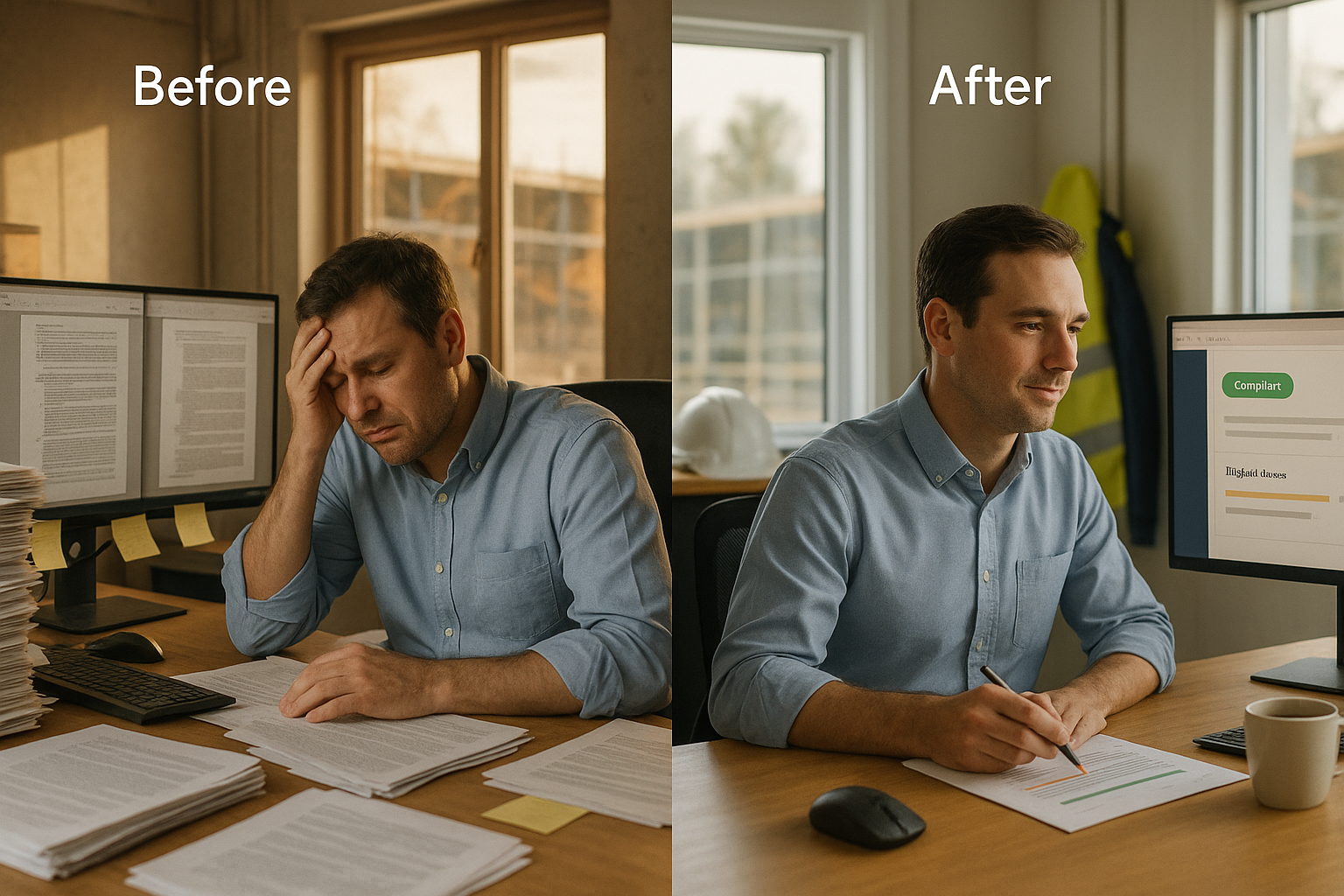
It's Wednesday afternoon and a contracts administrator on a mid-size NSW infrastructure package is three hours into reviewing a subcontract variation against the WHS management plan, the approved drawings, and two clauses buried in the head contract. He's cross-referencing by hand, flipping between four PDFs on two monitors, trying to confirm the proposed sequencing doesn't breach a safety exclusion zone the client added six months ago. If he misses it, it becomes an RFI in three weeks, then a variation claim two weeks after that. If he's slow, the subcontractor's program stalls waiting on approval.
Now picture the same Wednesday on a program running AI compliance automation. The subcontract variation was uploaded Monday morning. By Tuesday afternoon, the system had checked it against the current WHS plan, the approved drawing register, and the head contract clause library, flagged the one genuine conflict — the safety exclusion zone — and cleared everything else automatically. The contracts administrator spends twenty minutes confirming the flagged issue with the site engineer and approves the rest without opening a single additional PDF.
This article is about how that shift happens — what it takes, what it costs, and when it's not worth attempting.
1. Is This Right for Your Operation?
I'll address this upfront, because too many construction firms buy a document-review tool before confirming the basics. The 50% RFI and claims reduction figure gets thrown around in every vendor deck. The question is whether it holds for your specific document volume, your specific contract complexity, and your specific WHS and standards exposure.
This works well if your organisation:
- Processes 15 or more subcontract approvals, variations, or RFIs per month across active packages
- Already manages documents in Procore, Aconex, or a comparable structured document control system
- Has experienced repeat RFI or claim disputes tied to WHS or specification conflicts in the last 12 months
- Has a dedicated contracts administration or compliance function — even one or two people counts
- Maintains a current WHS management plan and approved drawing register, even if updates are manual
Walk away from this idea if:
- You're running a single package under $5M with fewer than five RFIs a month — the fixed implementation cost rarely pays back at that scale
- Your contract and WHS documents exist only as scanned images with no searchable text layer — the model needs machine-readable text to check against
- Your document control is inconsistent across sites, with no single source of truth for the current approved drawing set
- Leadership won't act on AI-flagged compliance conflicts — a tool nobody acts on is a wasted licence fee
- Your contracts are highly bespoke one-offs with no standard clause library to train against — the model needs a pattern to learn from
Be sceptical of any vendor quoting the same 50% figure regardless of document volume. A head contractor processing forty RFIs a month across a structured document system sees a very different result to a subcontractor handling five a month on email threads. The numbers in this article are calibrated for mid-size to large NSW construction operations running an existing structured document control environment.
2. What Changes Day-to-Day
Before: The Manual Cross-Reference Cycle
A contracts administrator's week runs on manual cross-referencing. Every subcontract variation, RFI response, and document submission has to be checked against the WHS management plan, the current approved drawing set, and the relevant head contract clauses — all of which live in separate documents that don't talk to each other. On a multi-package portfolio, checking a single moderately complex variation can take two to four hours, and the risk of missing a conflict rises every time a WHS plan gets updated and someone forgets to flag it against in-flight approvals.
When a conflict is missed, it doesn't surface immediately — it surfaces weeks later as an RFI, and if the RFI response is unfavourable, it can escalate into a formal variation claim. By that point, the subcontractor has often already mobilised around the original scope, and the cost of unwinding it is far higher than catching the conflict at approval stage would have been.
After: The Review-and-Approve Workflow
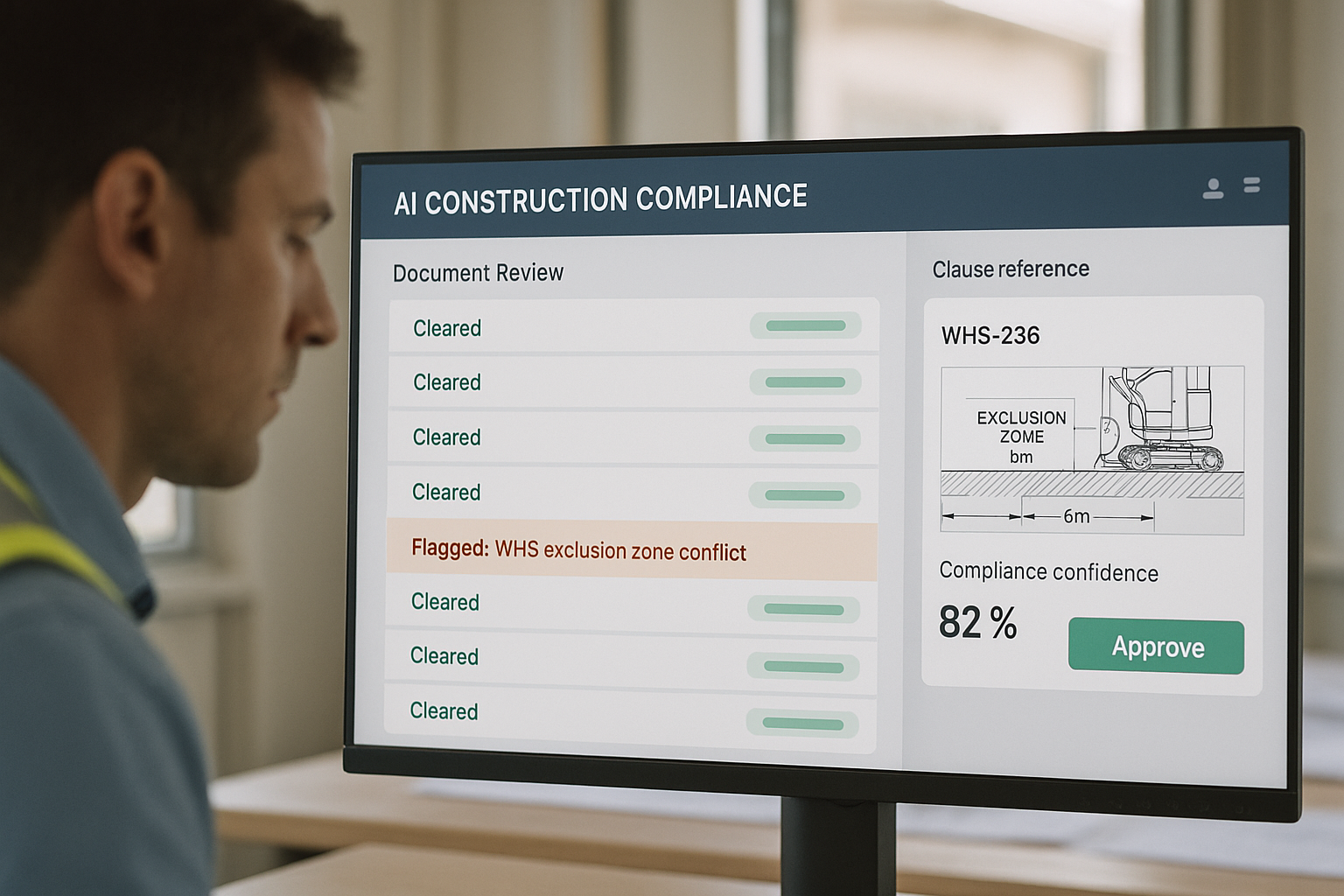
With AI compliance automation in place, every incoming document is automatically checked against the current WHS management plan, the approved drawing register, and the head contract clause library the moment it's uploaded. The system doesn't just flag keyword matches — it identifies genuine conflicts, such as a proposed sequence that breaches a safety exclusion zone or a variation that contradicts an approved specification. The contracts administrator's job shifts from manually cross-referencing every document to reviewing only the flagged conflicts and approving the rest.
The shift in mindset is from checking everything by hand to trusting a system that's already checked it and only escalating what's genuinely uncertain. Your contracts administrators stop being document cross-referencing clerks and start being the judgement call on the handful of conflicts that actually matter. That's a better use of their time — and it's what shrinks the RFI queue before it ever forms.
3. The Business Case
The number that surprises most operations directors isn't the RFI reduction percentage — it's how much a single variation claim actually costs once you count the direct payment, the program delay, and the administrative time to resolve it. On a mid-size NSW portfolio, most operations directors are surprised to find they're processing well over a hundred RFIs a year once someone actually counts them, and a meaningful share of those escalate into formal claims.
Each RFI-driven claim carries a real cost: the direct variation payment if the claim succeeds, the program delay while it's disputed, and the contracts administration hours spent building and defending the position. AI compliance automation doesn't eliminate every dispute — genuine scope ambiguity will always exist — but catching WHS and specification conflicts at the approval stage, before they surface as an RFI weeks later, turns a costly dispute into a same-week correction.
ROI Calculator
Adjust the sliders to match your operation. Results update in real time.
Assumes a 50% reduction in RFI/claim frequency and cost through earlier compliance conflict detection at approval stage. Excludes reputational value of fewer disputes, subcontractor relationship benefits, and legal fee avoidance beyond the modelled claim cost.
RFIs Escalating to Formal Claims — Count Per Quarter, 4-Package Program
Q1–Q4 2025: manual compliance review baseline. Q1 2026: AI compliance automation deployed mid-quarter with a partial-quarter ramp-up. Q2–Q4 2026: full AI-assisted document checking across all four packages. The ramp-up quarter is expected — plan your claims reserve accordingly.
One important caveat: the full 50% reduction doesn't appear from week one. It ramps in over the first six to ten weeks as the clause library is built out from your actual contract and WHS documentation and your contracts administrators build confidence approving flagged-clear documents without re-checking everything by hand. Budget your ROI projections from month two, not month one.
4. How the System Works
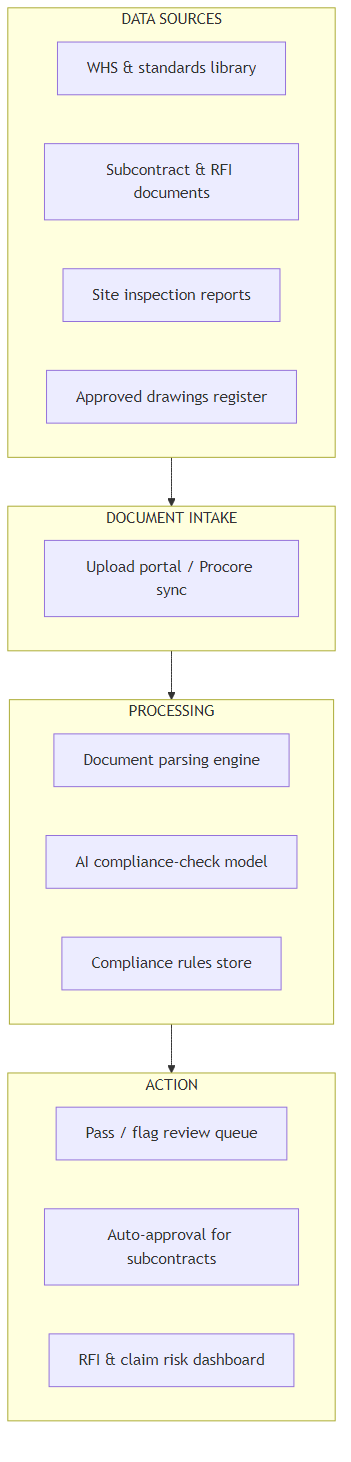
The system connects to your existing document control environment and follows six stages from raw upload to an approved or flagged outcome:
- Document Intake: The system ingests subcontract variations, RFI submissions, site inspection reports, and other compliance-relevant documents on upload, from Procore, Aconex, or a comparable document control system.
- Document Parsing: Each document is parsed into structured content — clauses, drawing references, dates, and named parties — so it can be compared against the reference library rather than read as a flat image.
- Compliance Checking: A model trained on your WHS management plan, approved drawing register, and head contract clause library checks the parsed document for genuine conflicts, not just keyword overlaps.
- Risk Classification: Each document is classified as clear, minor-flag, or conflict, with the specific clause or drawing reference driving the classification attached.
- Contracts Administrator Review: Flagged documents reach the contracts administrator with the reasoning attached — which clause or drawing triggered the flag and why. Clear documents route straight to auto-approval or a light-touch sign-off.
- Dashboard and Audit Trail: Every decision — automated or human — is logged with the compliance reasoning attached, feeding a live RFI and claim risk dashboard for the program.
5. How the AI Finds Genuine Conflicts
Here's an analogy that's closer to the truth than most vendor explanations. Picture a senior contracts administrator who has worked on forty programs over fifteen years and can spot a WHS conflict on sight because they remember a near-identical dispute from three projects ago. That instinct isn't magic — it's pattern recognition built from having seen thousands of clauses interact with thousands of site conditions. The AI is building that same pattern library — but from your program's actual WHS documentation, drawing register, and contract clauses, checked exhaustively against every submission, not from one person's memory that leaves with them when they change employers.
Why Keyword Search Doesn't Solve This
Most document management systems already offer keyword search across contract and WHS documents. The problem is that a genuine conflict rarely shares an obvious keyword with the clause it breaches — a proposed crane lift sequence doesn't mention "exclusion zone" anywhere in its text, but it still conflicts with one defined three documents away. Keyword search finds documents that mention the same words. It doesn't find documents whose content contradicts each other.
An AI model trained to check compliance reads the proposed action and reasons about whether it's consistent with the applicable standard, not whether it happens to share vocabulary with it. When a WHS plan is updated mid-program — as it regularly is, without every in-flight document being manually re-checked against the change — the model re-evaluates outstanding approvals against the new version automatically, catching conflicts a keyword search would never surface.
The classification step is what separates this from a simple document-tagging tool. A basic tagging system tells you a document mentions "safety" or "sequencing." It doesn't tell you whether the specific sequence proposed actually breaches a specific exclusion zone defined in a different document altogether. That translation from raw text to a specific, defensible compliance judgement is where the real time saving happens — and it's the step most contracts administrators currently do by hand, cross-referencing PDFs one clause at a time.
6. What It Costs
I'll give you the real numbers, including the ones most vendor quotes leave out until you're deep into contract negotiation.
| Running Cost Item | Monthly Cost (AUD) | Notes |
|---|---|---|
| AI compliance automation SaaS licence | $2,400 – $3,900 | Scales with number of active packages and document volume |
| Procore / Aconex integration maintenance | $500 – $900 | Vendor or internal IT time to maintain the document control connection |
| Clause library & WHS plan updates | $600 – $1,100 | Ongoing maintenance as WHS plans and standards are revised |
| Internal compliance oversight | $1,600 – $2,400 | ~0.2 FTE contracts administration lead time for review and model feedback |
| Total monthly running cost | $5,100 – $8,300 | $61,200 – $99,600 per year |
| One-Time Project Cost | Cost Range (AUD) | Notes |
|---|---|---|
| Vendor implementation & Procore/Aconex integration | $32,000 – $55,000 | Document connection, clause library setup, initial model configuration |
| Contract & WHS document digitisation | $12,000 – $24,000 | Converting scanned or non-searchable documents into machine-readable text |
| Contracts team training & change management | $5,000 – $10,000 | Contracts administrator and site engineer training, workflow documentation |
| Single-package pilot (8-week) | $5,000 – $9,000 | Testing before full-portfolio rollout |
| Total one-time project cost | $54,000 – $98,000 | Median for a mid-size, multi-package NSW operation: ~$74,000 |
The Number That Surprises Most Organisations
Vendor quotes almost always lead with the platform licence. What they don't lead with is the document digitisation cost — if your WHS plans and contract library aren't consistently text-searchable across past and current programs, someone has to convert and structure that content before the model has anything reliable to check against, and that work is frequently quoted separately, after the initial pitch.
The second hidden cost is clause library maintenance. Standards and WHS plans change mid-program more often than most operations directors expect, and every change requires the reference library to be updated — a task vendors often assume your team will handle, without budgeting the internal time it actually takes.
Where Your Current Compliance Risk Cost Goes
The red slice is the primary target. AI shifts spend from claim settlements and dispute time toward document review oversight.
7. What Your Team Needs
Here's what I've seen derail otherwise sound projects: the assumption that the vendor handles everything and your contracts team just shows up for a training session. That's not how it works. A successful deployment needs three internal roles — none full-time, but all present and accountable.
Compliance Lead (0.3–0.5 FTE): Owns the WHS plan and clause library, coordinates with the vendor during integration, and monitors the model's flagging accuracy post-deployment. This person needs to understand your contract structure deeply — they don't need to understand the AI itself.
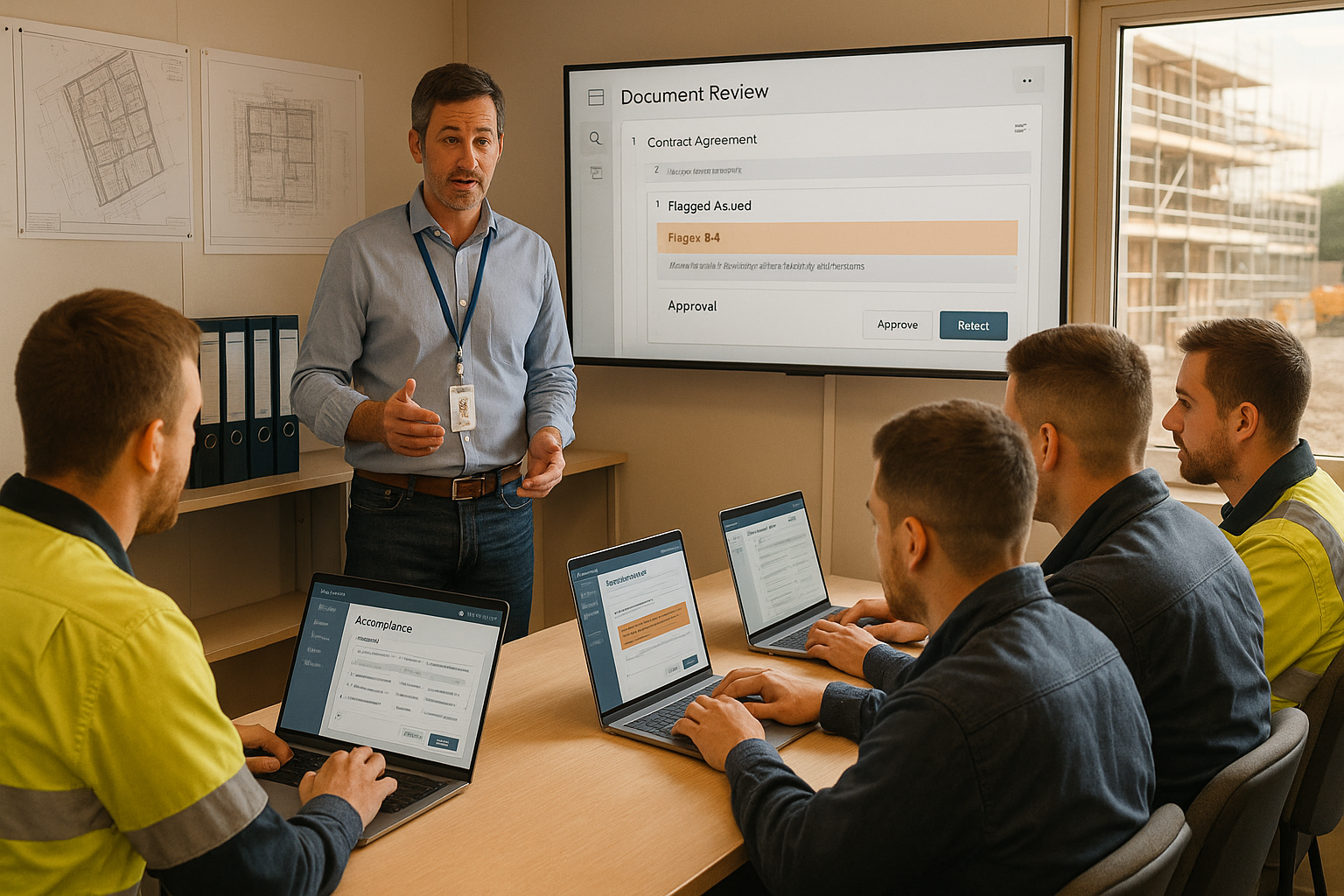
Site Champion (0.2 FTE from existing staff): A senior contracts administrator or site engineer who validates the system's flagged conflicts during the pilot and becomes the first point of contact when site teams have questions about a flagged item. Staff trust a system faster when a respected colleague has vouched for it.
Executive Sponsor (Commercial Manager or Legal Counsel): Someone who has approved the project, can remove blockers during implementation, and holds the organisation accountable to actually acting on the AI-flagged conflicts post-deployment. Without this, projects stall the first time a flagged conflict is quietly overridden without review.
On build versus buy: buy. The document parsing pipeline, ongoing clause library maintenance, and Procore/Aconex API integration make a custom build impractical for any construction firm without a dedicated legal-tech or data engineering function. Evaluate vendors on two criteria above all others: their track record integrating with your specific document control platform, and whether their compliance-checking has been validated against real project disputes, not just a demo dataset.
| Phase | Weeks | Key Activities | Who Leads |
|---|---|---|---|
| 1. Discovery & Scoping | 1–4 | Audit RFI/claim history, document control maturity, and WHS plan currency; confirm Procore/Aconex compatibility; select vendor | Executive Sponsor + Compliance Lead |
| 2. Document Integration | 5–9 | Connect live document feed; digitise non-searchable WHS and contract documents; build the initial clause library | Compliance Lead + Vendor PM |
| 3. Model Training & Pilot | 10–17 | Train model on 12–18 months of historical RFIs and claims; run 8-week pilot on one package; measure accuracy against real disputes | Site Champion + Vendor |
| 4. Contracts Team Training | 16–18 | Train all contracts administrators on the review-and-approve workflow; update compliance SOPs | Site Champion |
| 5. Full Portfolio Rollout | 19–24 | Extend to all active packages; move from supervised to standard review workflow | Compliance Lead + Site Champion |
| 6. Optimisation & Review | 25–30 | Review KPIs against targets; refine flagging thresholds; add packages as new programs mobilise | Executive Sponsor + Compliance Lead |
8. How You Know It's Working
Set these five metrics as your baseline before deployment and measure them monthly. If you don't have baseline numbers, spend four weeks collecting them manually before go-live — you cannot demonstrate ROI without a before figure.
| Metric | Baseline (Typical) | 12-Month Target | How to Measure |
|---|---|---|---|
| RFIs raised per quarter | 28–40 per portfolio | <16 per portfolio | RFI log export from Procore/Aconex, portfolio-wide |
| % of RFIs escalating to formal claims | 25–35% | <15% | Claims register ÷ total RFIs logged, per quarter |
| Time to clear a routine subcontract approval | 2–4 days | <6 hours | Timestamp from document upload to approval decision |
| RFI/claim cost per quarter | $180,000–$300,000 | <$110,000 | Variation payments + dispute admin time, logged per incident |
| Contracts administrator hours on manual document checking per month | 50–70 hours | <18 hours | Timesheet allocation for compliance review activity |
In practice, the right setting for most portfolios is to treat the 12-month target as a floor, not a ceiling. The best-performing operations hit these numbers by month eight and then look at extending the same compliance-checking approach to procurement contract review, which follows naturally from the same clause library.
9. Where to Start
If the numbers in Section 3 are compelling and you've confirmed the basics in Section 1, here are five concrete actions to take in the next 30 days:
- Run a four-week RFI/claims audit. Count RFIs and claims across your active portfolio over the last 12 months, estimate the cost of each using direct payment and dispute admin time, and identify which packages carry the most WHS or specification conflict risk. These numbers are your baseline.
- Confirm your document library is machine-readable. Work with your contracts team to check whether your WHS plans, approved drawings, and contract clauses are text-searchable or exist only as scanned images. This determines your digitisation cost before you approach a vendor.
- Confirm your Procore/Aconex API access. Ask your IT team or document control vendor whether your environment supports a standard integration API. If not, budget the custom integration cost before approaching an AI vendor.
- Run a vendor sandbox session on real documents. Before committing to any platform, give vendors five real historical RFIs or claims from your own project history and ask them to show what the system would have flagged. Compare it against what actually happened.
- Design an 8-week pilot on your highest-conflict package. Pick the package with the most RFI or claim history and the most mature document control. Run the AI system in parallel with manual review for eight weeks before handing over any live approval decisions.
Key Takeaways
- Is the opportunity real? Yes — if you're processing 15 or more compliance-relevant documents a month and experiencing repeat RFI or claim disputes, the labour and claim-cost savings typically close a business case within six to eight months.
- Is it the right time? Only if you have a structured document control system, a current WHS plan and drawing register, and leadership that will actually act on flagged conflicts.
- What's the realistic saving? Use the calculator above with your numbers. A four-package portfolio with eighteen RFI-driven claims a year at $42,000 average cost sees roughly $378,000 in annual savings against a $54,000–$98,000 implementation cost.
- What's the honest risk? A flagged conflict nobody acts on costs as much as one that's never flagged — the difference is whether your contracts team trusts and uses the flags. Firms that appoint a site champion and enforce the review workflow see results. Firms that treat it as a plug-and-play software licence do not.
- Where to start? Four-week RFI/claims audit first. No vendor conversation before you have your incident count, average cost, and document readiness assessed.
Want Practical Insights on AI in Operations?
I write about applying AI to real business problems — with honest numbers and no vendor speak. Subscribe for articles delivered twice a month.
Subscribe to Newsletter →